
Tracked in the background
You never start or stop a timer. The desktop app records your day app by app while you work.
TimeLogging is automatic time tracking and invoicing for freelancers. It records billable work as you go and turns it into client-ready timesheets and PDF invoices. Share a link, send the invoice, get back to work.
No credit card required · 4 weeks free · Cancel anytime
Every hour you work lands in your weekly timesheet. Send your client one link and they see exactly what they're paying for.
You never start or stop a timer. The desktop app records your day app by app while you work.
Clients get a read-only link to the week, so you never export a spreadsheet.
Work as usual
Hours are tracked per project automatically
Review the week
Check each day's hours and screenshots before you share
Share one link
Clients see days, hours and totals
Turn your hours into a PDF invoice that links back to the timesheet, so clients see the proof behind every line.
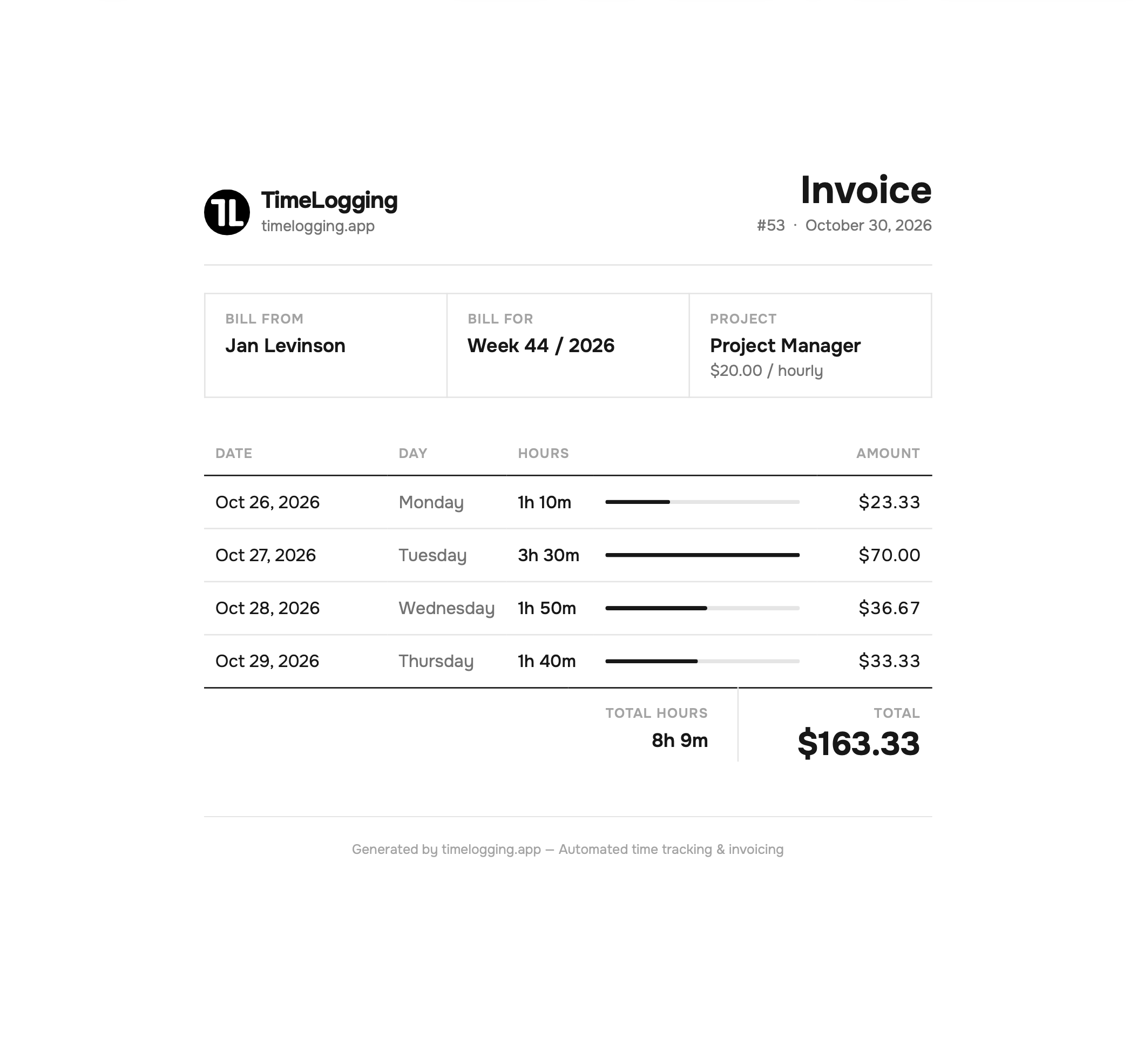
A clean PDF your client can read in seconds.
Daily breakdown
Hours and amount for every day you worked
Proof included
Each PDF links to the shared timesheet
Track payment
Mark invoices paid and see what is still open
Suggestions drawn from your own activity help you take breaks at the right time, multitask less and finish the day with energy left.
Learn when to step away, before focus starts to slip.
See how often you switch tasks and group similar work together.
Keep a consistent schedule instead of long days followed by slow ones.
See which apps and kinds of work fill your week, so your next quote is based on how long the work takes.
TimeLogging generates a read-only link for each weekly timesheet. Send that link to your client so they can see the days, hours and totals for the project without needing a TimeLogging account.
A shared timesheet shows the days, hours and totals for the project you send. Clients do not get access to your TimeLogging account, projects or settings.
Yes. Turn your tracked hours into a PDF invoice in one click. Each invoice links back to the shared timesheet so the client can see the proof behind every line.
TimeLogging runs in the background on your desktop and records active computer work, including the apps and websites you use. When you stop interacting with your computer for a while, the inactivity threshold ends tracking until you return. The result is a timesheet that fills itself in, grouped by person and project. No manual timer is required.
The Employer and Freelancer plans are both €4.99 per user per month. The Employer plan is 50% off its €9.99 list price, and the Freelancer plan is 61% off its €12.99 list price. Every new account starts with a free 4-week trial and no credit card is required.
Install the desktop app, work as usual, and turn the week's timesheet into a PDF invoice when you're done.
No credit card required · 4 weeks free · Cancel anytime